Diffusers How to use WiroAI/Karina-Flux-LoRA with Diffusers:
pip install -U diffusers transformers accelerate
import torch
from diffusers import DiffusionPipeline

# switch to "mps" for apple devices
pipe = DiffusionPipeline.from_pretrained("black-forest-labs/FLUX.1-dev", dtype=torch.bfloat16, device_map="cuda")
pipe.load_lora_weights("WiroAI/Karina-Flux-LoRA")

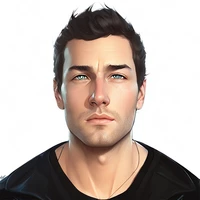
prompt = "krnwiro, realistic portrait, a gorgeous woman with black eyes and long dark wavy, wearing a deep green velvet cloak, standing in a mystical forest, soft moonlight illuminating her pale skin, delicate freckles across her nose, gentle smile, ethereal atmosphere, glowing fireflies floating around her"
image = pipe(prompt).images[0]