

MewZoom
Collection
Pretrained MewZoom models for purrfect quality image super-resolution. • 6 items • Updated
A family of parameter-efficient image super-resolution models with cat-like vision and clarity. Looking for the purrfect pixels? MewZoom pounces on blurry, low-resolution images and transforms them into crystal-clear high-resolution masterpieces using the power of a deep neural network. Trained on a diverse set of images and fine-tuned with an adversarial network for exceptional realism, MewZoom brings out every detail in your fuzzy images - simulanteously removing blur, noise, and compression artifacts while upscaling by 2X, 3X, 4X, or 8X the original size.
Fast and scalable: MewZoom incorporates parameter-efficiency into the architecture requiring less parameters than models with similar performance.
Ultra clarity: In addition to upscaling, MewZoom is trained to predict and remove various forms of degradation including blur, noise, and compression artifacts.
Full RGB: Unlike many efficient SR models that only operate in the luminance domain, MewZoom operates within the full RGB color domain enhancing both luminance and chrominance for the best possible image quality.
View at full resolution for best results. More comparisons can be found here.
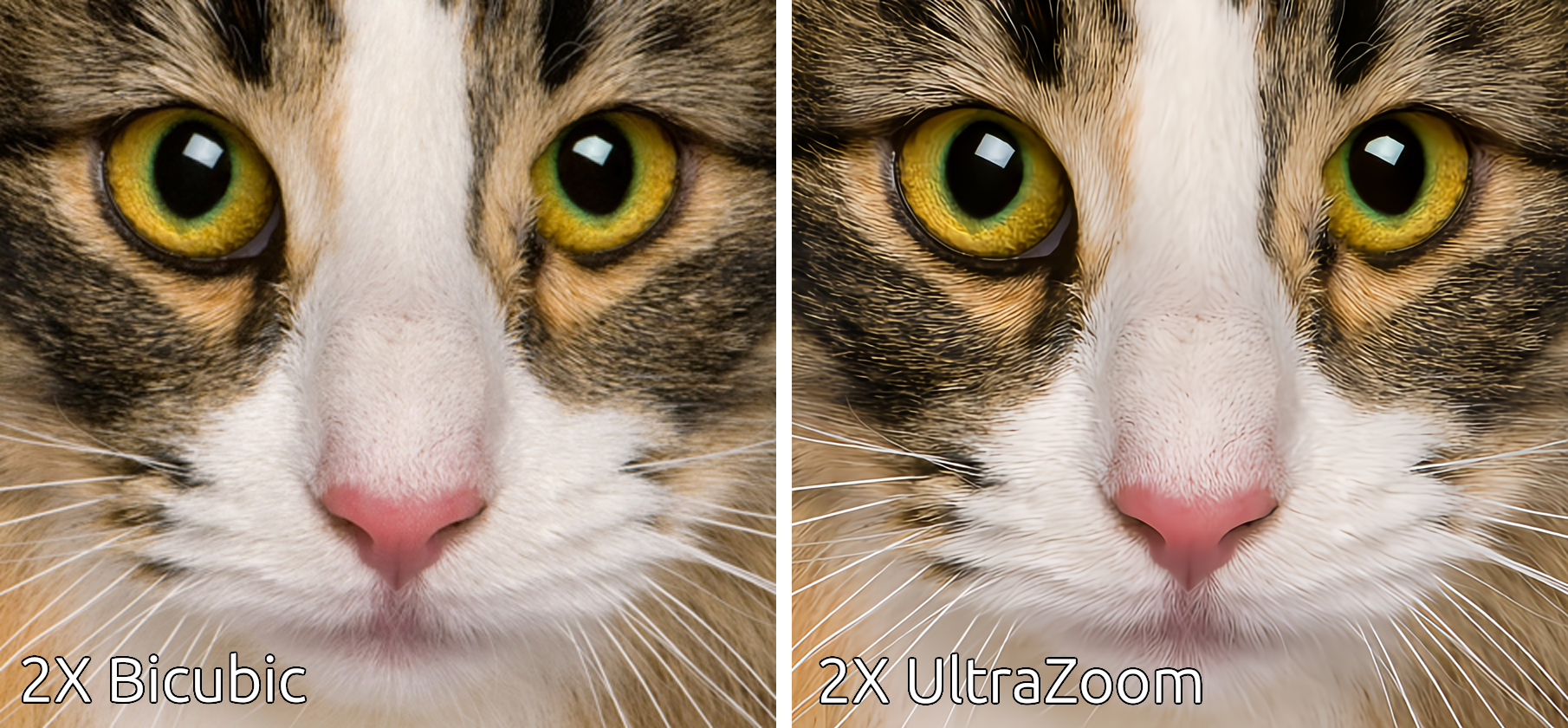
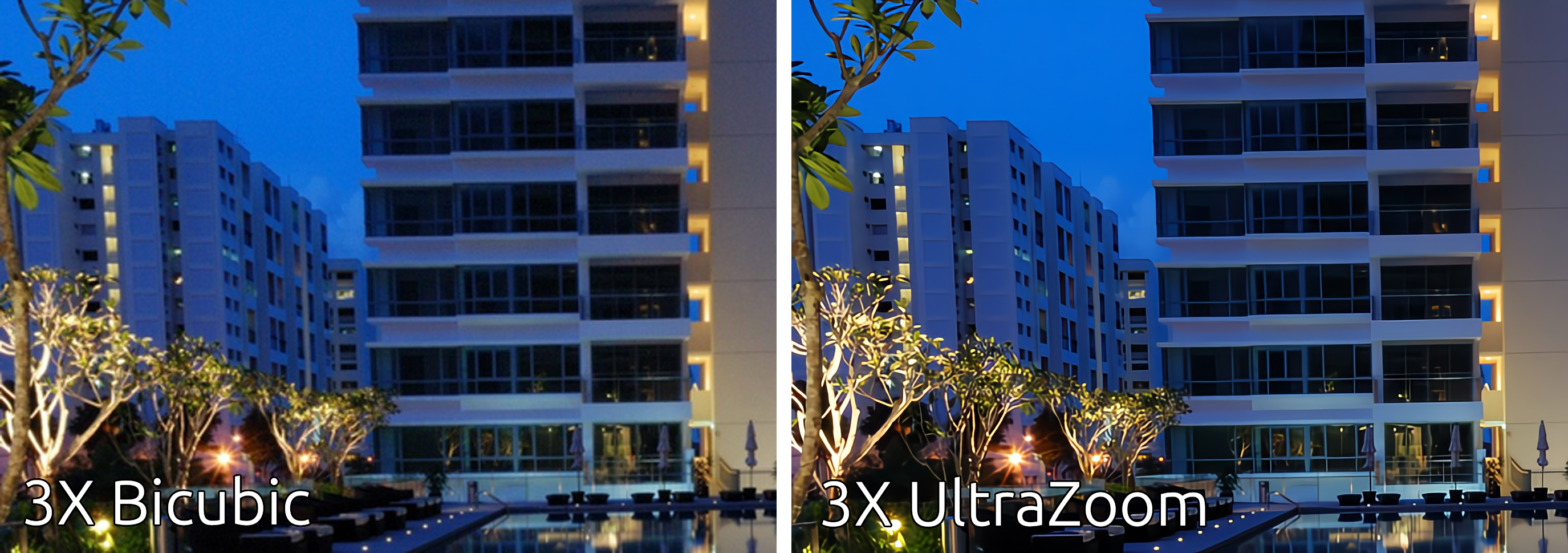
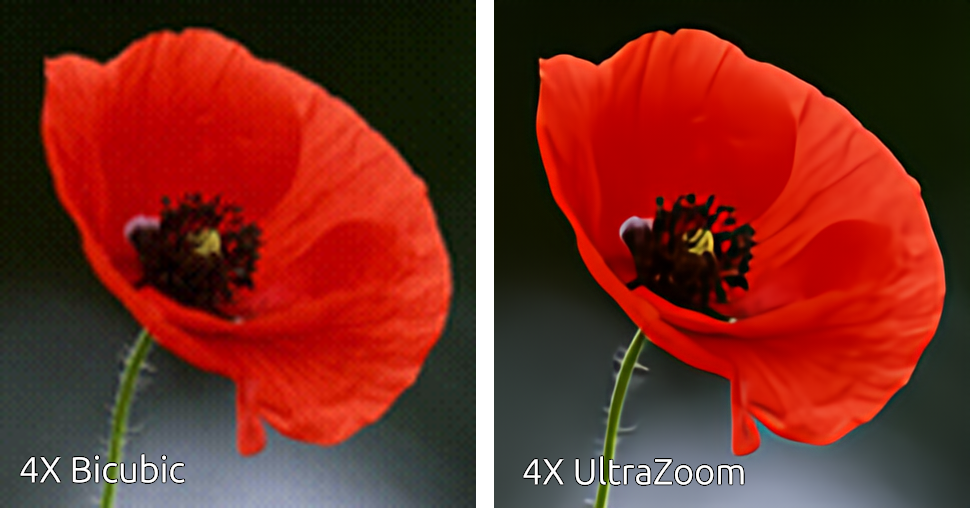
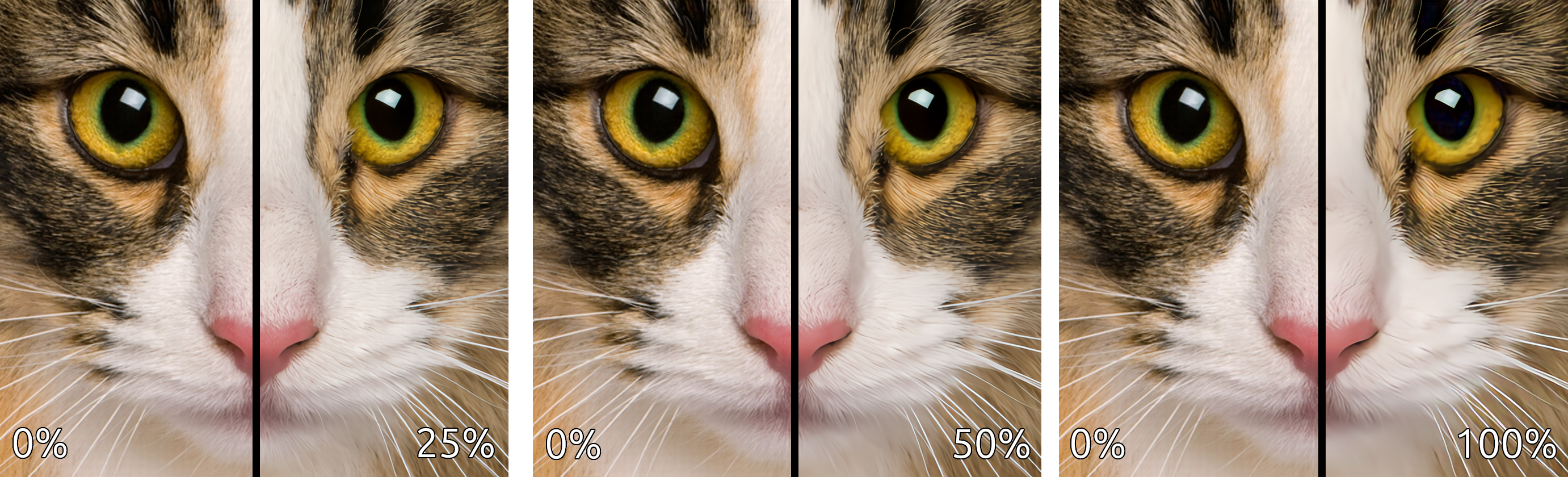
This comparison demonstrates the strength of the enhancements (deblurring, denoising, and deartifacting) applied to the upscaled image.
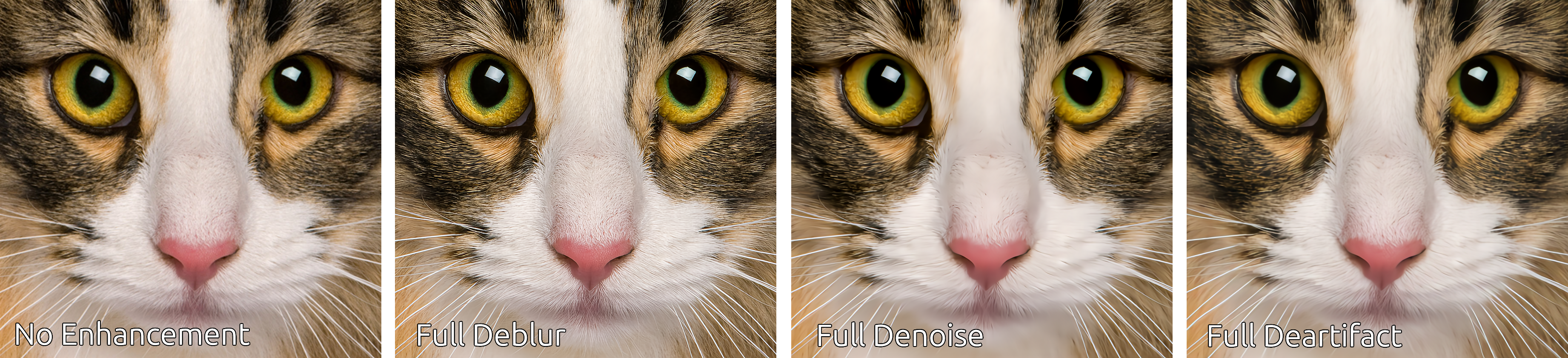
This comparison demonstrates the individual enhancements applied in isolation.
The following pretrained models are available on HuggingFace Hub.
| Name | Upscale | Num Channels | Encoder Layers | Parameters | Control Modules | Library Version |
|---|---|---|---|---|---|---|
| andrewdalpino/MewZoom-V0-2X-Ctrl | 2X | 48 | 20 | 1.8M | Yes | 0.2.x |
| andrewdalpino/MewZoom-V0-3X-Ctrl | 3X | 54 | 30 | 3.5M | Yes | 0.2.x |
| andrewdalpino/MewZoom-V0-4X-Ctrl | 4X | 96 | 40 | 14M | Yes | 0.2.x |
| andrewdalpino/MewZoom-V0-2X | 2X | 48 | 20 | 1.8M | No | 0.1.x |
| andrewdalpino/MewZoom-V0-3X | 3X | 54 | 30 | 3.5M | No | 0.1.x |
| andrewdalpino/MewZoom-V0-4X | 4X | 96 | 40 | 14M | No | 0.1.x |
If you'd just like to load the pretrained weights and do inference, getting started is as simple as in the examples below.
First, you'll need the ultrazoom package installed into your project. For the non-control version we'll need library version 0.1.x to load the pretrained weights. We'll also need the torchvision library to do some basic image preprocessing. We recommend using a virtual environment to make package management easier.
pip install ultrazoom~=0.1.0 torchvision
Then, load the weights from HuggingFace Hub, convert the input image to a tensor, and upscale the image.
import torch

from torchvision.io import decode_image, ImageReadMode
from torchvision.transforms.v2 import ToDtype, ToPILImage

from ultrazoom.model import MewZoom


model_name = "andrewdalpino/MewZoom-V0-2X"
image_path = "./dataset/bird.png"

model = MewZoom.from_pretrained(model_name)

image_to_tensor = ToDtype(torch.float32, scale=True)
tensor_to_pil = ToPILImage()

image = decode_image(image_path, mode=ImageReadMode.RGB)

x = image_to_tensor(image).unsqueeze(0)

y_pred = model.upscale(x)

pil_image = tensor_to_pil(y_pred.squeeze(0))

pil_image.show()
The control version of MewZoom allows you to independently adjust the level of deblurring, denoising, and deartifacting applied to the upscaled image. We accomplish this by conditioning the input image on a Control Vector that gets picked up by control modules embedded into each layer of the encoder. Version 0.2.x of the library is required for control functionality.
pip install ultrazoom~=0.2.0 torchvision
The ControlVector class takes 3 arguments - gaussian_blur, gaussian_noise, and jpeg_compression corresponding to the assumed level of each type of degradation present in the input image. Their values range from 0.0 meaning no degradation is assumed present to 1.0 meaning that the maximum amount of degradation is assumed present.
import torch

from torchvision.io import decode_image, ImageReadMode
from torchvision.transforms.v2 import ToDtype, ToPILImage

from ultrazoom.model import MewZoom
from ultrazoom.control import ControlVector


model_name = "andrewdalpino/MewZoom-V0-2X-Ctrl"
image_path = "./dataset/bird.png"

model = MewZoom.from_pretrained(model_name)

image_to_tensor = ToDtype(torch.float32, scale=True)
tensor_to_pil = ToPILImage()

image = decode_image(image_path, mode=ImageReadMode.RGB)

x = image_to_tensor(image).unsqueeze(0)

c = ControlVector(
    gaussian_blur=0.5,      # Higher values indicate more degradation
    gaussian_noise=0.2,     # which increases the strength of the
    jpeg_compression=0.3    # enhancement [0, 1].
).to_tensor()

y_pred = model.upscale(x, c)

pil_image = tensor_to_pil(y_pred.squeeze(0))

pil_image.show()
For production deployment, you can use the ONNX models with ONNX Runtime. First, install the required packages:
pip install onnxruntime numpy pillow
Note: For GPU acceleration on Windows, use
onnxruntime-directmlinstead. On macOS, the standardonnxruntimepackage includes CoreML support.
import numpy as np
import onnxruntime as ort

from PIL import Image

model_path = "./model.onnx"
image_path = "./image.png"

# Load the ONNX model
session = ort.InferenceSession(model_path, providers=["CPUExecutionProvider"])

# Load and preprocess the image
image = Image.open(image_path).convert("RGB")
image_array = np.array(image, dtype=np.float32) / 255.0  # Normalize to [0, 1]

# Convert from (H, W, C) to (1, C, H, W)
input_tensor = np.transpose(image_array, (2, 0, 1))
input_tensor = np.expand_dims(input_tensor, axis=0)

# Run inference
outputs = session.run(None, {"x": input_tensor})

# Postprocess the output
output_tensor = outputs[0][0]  # Remove batch dimension
output_array = np.transpose(output_tensor, (1, 2, 0))  # (C, H, W) -> (H, W, C)
output_array = np.clip(output_array, 0.0, 1.0)
output_image = (output_array * 255).astype(np.uint8)

# Display the result
result = Image.fromarray(output_image, "RGB")
result.show()
The control models accept an additional input c - a control vector with 3 values corresponding to the assumed level of degradation in the input image. Each value ranges from 0.0 (no degradation) to 1.0 (maximum degradation).
| Index | Parameter | Description |
|---|---|---|
| 0 | gaussian_blur |
Deblurring strength |
| 1 | gaussian_noise |
Denoising strength |
| 2 | jpeg_compression |
JPEG artifact removal strength |
import numpy as np
import onnxruntime as ort

from PIL import Image

model_path = "./model.onnx"
image_path = "./image.png"

# Load the ONNX model
session = ort.InferenceSession(model_path, providers=["CPUExecutionProvider"])

# Load and preprocess the image
image = Image.open(image_path).convert("RGB")
image_array = np.array(image, dtype=np.float32) / 255.0

# Convert from (H, W, C) to (1, C, H, W)
input_tensor = np.transpose(image_array, (2, 0, 1))
input_tensor = np.expand_dims(input_tensor, axis=0)

# Define the control vector: [gaussian_blur, gaussian_noise, jpeg_compression]
control_vector = np.array([[0.5, 0.2, 0.3]], dtype=np.float32)

# Run inference with control vector
outputs = session.run(None, {"x": input_tensor, "c": control_vector})

# Postprocess the output
output_tensor = outputs[0][0]
output_array = np.transpose(output_tensor, (1, 2, 0))
output_array = np.clip(output_array, 0.0, 1.0)
output_image = (output_array * 255).astype(np.uint8)

# Display the result
result = Image.fromarray(output_image, "RGB")
result.show()
- J. Song, et al. Gram-GAN: Image Super-Resolution Based on Gram Matrix and Discriminator Perceptual Loss, Sensors, 2023.
- Z. Liu, et al. A ConvNet for the 2020s, 2022.
- A. Jolicoeur-Martineau. The Relativistic Discriminator: A Key Element Missing From Standard GAN, 2018.
- J. Yu, et al. Wide Activation for Efficient and Accurate Image Super-Resolution, 2018.
- J. Johnson, et al. Perceptual Losses for Real-time Style Transfer and Super-Resolution, 2016.
- W. Shi, et al. Real-Time Single Image and Video Super-Resolution Using an Efficient Sub-Pixel Convolutional Neural Network, 2016.
- T. Salimans, et al. Weight Normalization: A Simple Reparameterization to Accelerate Training of Deep Neural Networks, OpenAI, 2016.
- T. Miyato, et al. Spectral Normalization for Generative Adversarial Networks, ICLR, 2018.
- E. Perez, et. al. FiLM: Visual Reasoning with a General Conditioning Layer, Association for the Advancement of Artificial Intelligence, 2018.
- A. Kendall, et. al. Multi-task Learning Using Uncertainty to Weigh Losses for Scene Geomtery and Semantics, 2018.